CameraVersion is a small Windows tool that helps getting the 'real' firmware version of a Canon Powershot camera. Based on Phil Harvey's ExifTool, it shows the firmware version based on the EXIF data from a Canon JPG image.
- Author: written & maintained by whim, released in January 2010
- Forum link: Simple tool to get Canon firmware version
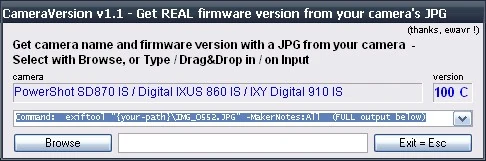

CameraVersion v1.1 Screenshot
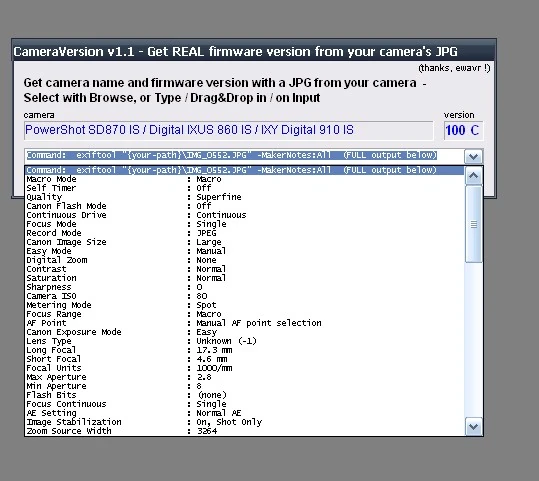

CameraVersion v1.1 Screenshot
Features
- uses ExifTool, included in the SFX download file
- multi input (FileSelect box, type, or drag 'n drop)
- shows full camera name and version
- ignores non-Canon JPG
Download
→ The forum post always has a link to the latest version.
- The file is a self-extracting archive, it contains CameraVersion.exe (the executable file), CameraVersion.au3 (AutoIt source code) and exiftool.exe.
- The version of exiftool included in the file may be outdated. The latest version of exiftool can be found here : exiftool. It is recommended that you check for the latest version before using CameraVersion
Usage
- OS requirements: MS Windows OS (2000 / XP / Vista / 2003 / 2008 / Seven)
- Start the tool (CameraVersion.exe), select your JPG image either with the "Browse JPEG" button or with drag & drop...
Links
Internals
- CameraVersion is written in the AutoIt scripting language. More informations about this very powerful, free tool can be found on the AutoIt v3 Homepage.
- The download archive is a self-expanding file. When it is started it creates a sub-folder on the selected folder, then it copies its source code and the helper tools into this folder.
- The firmware version number is stored in the JPEG's EXIF Data (MakerNotes) by the original Canon firmware like this:
Firmware Revision : 1.01 rev 2.00
- --> Firmware version 1.01B
- the fw version number is the first part: 1.01
- the fw revision char is the second number, using hexadecimal number format, coded this way:
1.00=A, 2.00=B, 3.00=C, 4.00=D, 5.00=E 6.00=F 7.00=G 8.00=H 9.00=I,
a.00=J, b.00=K, c.00=L, d.00=M, e.00=N, f.00=O ...
- To read the MakerNotes, ExifTool is used:
exiftool IMG_NNNN.jpg -MakerNotes:FirmwareRevision
Linux/Unix
You need exiftool version 6.73 (released in 2007) or later to get the Firmware Revision line.
exiftool usually comes in a Linux package with a name like libimage-exiftool-perl, media-libs/exiftool, perl-Image-ExifTool or similar. If you can't find that (or your exiftool package is too old), you can try installing/updating it semi-automatically through Perl itself using CPAN:
cpan -i Image::ExifTool
Once exiftool is installed, use a command line like this:
exiftool IMG_NNNN.jpg -MakerNotes:FirmwareRevision
Note: If you used -MakerNotes:All instead, remember that "Firmware Revision" and "Canon Firmware Revision" are different lines! This line is not enough information:
Canon Firmware Version : Firmware Version 1.01
This is the line you want instead:
Firmware Revision : 1.01 rev 2.00